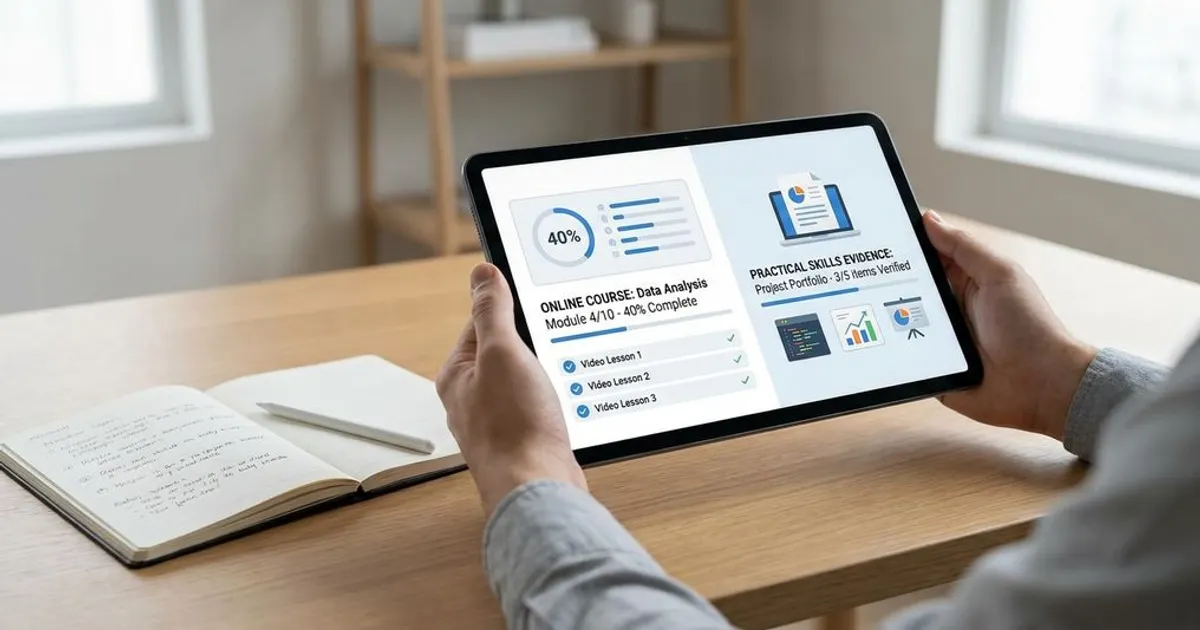
Finishing an online course doesn’t automatically give you a portfolio-ready project; you need to reshape the work so it shows your decisions, tradeoffs, and original contribution. A course assignment becomes portfolio-worthy when it proves what you can do without relying on the tutorial to explain it for you.
If your portfolio feels thin after several courses, the problem usually isn’t effort. It’s presentation. You’ll learn how to choose the right course project, add a personal angle, document your process, publish it clearly, and describe it honestly without making it look like copied tutorial work.
Why Most Course Projects Don’t Belong In A Portfolio Yet
A course project is designed to teach you a skill, not to persuade a hiring manager. That means it often follows a fixed prompt, uses supplied assets, and produces an outcome that many other learners can also recreate. When a reviewer sees the same calculator app, dashboard, landing page, or user experience (UX) redesign repeated across portfolios, the work blends in quickly. The project may be useful for learning, but it doesn’t yet show how you think.
Hiring managers often review portfolios quickly, so your work needs to communicate value fast. A plain tutorial completion usually makes the reviewer ask the wrong questions: Did you make the decisions, or did the instructor? Did you solve a problem, or follow steps? Your job is to remove that doubt by turning the assignment into evidence of judgment, not just evidence of attendance.
That doesn’t mean course projects are useless. Online courses are a common way people build technical and creative skills, and many learners report career benefits from structured online learning. The gap sits between completion and proof. A portfolio-ready project closes that gap by showing your reasoning, your edits, and your finished result in a form someone can review without needing the course.
What Portfolio-Ready Actually Means
A portfolio-ready project has a clear problem, visible decisions, a finished output, and enough documentation for someone else to understand your role. It doesn’t need to be paid client work. It does need to show what changed because of your thinking.
For a coding project, that can mean clean instructions, a live demo, organized code, and notes explaining technical decisions. For a design project, it can mean the problem statement, constraints, user flow, wireframes, final screens, and a short reflection on what you changed after review. For a data project, it can mean a clear question, source notes for the data you’re allowed to share, steps used to clean or analyze it, and a readable summary of findings.
The strongest version is scannable. A reviewer should understand the project in less than a minute, then choose to go deeper if it matches the role. Put the outcome near the top, explain the original assignment honestly, then show what you added. That order respects the reviewer’s time and keeps your work from looking like a generic class submission.
How To Choose Which Course Projects Are Worth Revisiting
Don’t upgrade every assignment. Pick the projects that connect to the jobs, internships, freelance work, or career shift you’re targeting. A small project that matches the role is usually better than a larger project that feels unrelated. Your portfolio should help someone picture you doing the work they need done.
Use three filters: relevance, room for originality, and completion quality. Relevance asks whether the project demonstrates a skill listed in roles you want. Room for originality asks whether you can change the audience, data, features, constraints, or visual direction. Completion quality asks whether the work can be polished without rebuilding from scratch.
If a project has no room for your own decisions, leave it as a learning artifact. If it has a strong base but weak presentation, it’s a good candidate. A course capstone often works well because it usually combines several skills into one finished piece. A short exercise can still work if you expand it into a clearer use case and document what you improved.
Turning A Tutorial Into A Case Study With Original Direction
The easiest way to upgrade a tutorial is to change the purpose behind it. Instead of presenting “I built the course project,” reframe it around a problem the finished work solves. You can adjust the target user, add a constraint, change the content, use different sample data, or add a feature that wasn’t part of the assignment. The goal is to create distance between your version and the instructor’s version.
For a web development project, that could mean turning a generic task manager into a simple planning tool for students, job seekers, or small teams. For a UX project, it could mean changing the user group and explaining how that affected navigation, copy, and layout choices. For a data project, it could mean asking a different question from the same public dataset, if sharing the data is allowed. Keep the change practical so you can finish and explain it well.
Your case study should follow a clean story: the starting point, the problem you chose, the changes you made, the tradeoffs you considered, and the finished result. Avoid pretending the course prompt never existed. Say the project began as a course assignment, then describe your additions. That gives the reviewer a fair view of your skill and your initiative.
Documenting Your Process, Decisions, And Results Without Faking Data
You don’t need fake business results to make a project credible. If you don’t have revenue, conversion rates, client feedback, or live user metrics, don’t invent them. Use process evidence instead: sketches, version notes, design changes, code decisions, accessibility checks, testing steps, performance improvements, or lessons learned. Real documentation beats inflated claims.
Focus on decisions that reveal judgment. Why did you choose one layout over another? Why did you remove a feature? Why did you use a certain library, design pattern, color system, database structure, or chart type? A reviewer can learn a lot from the tradeoffs you explain, especially when your final answer wasn’t obvious.
Results can be modest and still useful. You can say the project now has a live demo, clearer navigation, cleaner code structure, improved loading behavior, stronger mobile presentation, or a better written case study. If you tested it with peers, describe the feedback process without exaggerating it into formal research. The best rule is simple: state what happened, show the artifact, and separate facts from reflection.
Where And How To Host Your Redesigned Project
Your project needs a stable public home. If it’s a static website, GitHub Pages can host it for free from a public repository. Netlify also offers free hosting options that are useful for front-end projects and portfolio sites. A live link makes your work easier to review than screenshots alone.
Use GitHub for code-based projects, especially when the role expects version control. Add a clear README file with the project summary, setup steps, features, technologies used, what came from the course, and what you changed. If your project has a live demo, place that link near the top. If it requires installation, make the instructions short and test them from a fresh setup.
For design and visual work, a portfolio site, Behance, or Dribbble can work well, depending on your field. LinkedIn also lets you add projects with descriptions, links, and media, which helps recruiters find your work without leaving your profile. Use the same project title and summary across platforms so your story stays consistent. Don’t make people hunt for the finished result.
How To Present Course-Based Work Honestly And Professionally
You can mention that a project started in an online course without weakening it. The wording matters. Don’t lead with the course as the main achievement; lead with the problem, outcome, and your contribution. Then add one plain sentence explaining its origin.
A strong description could say: “This project began as a course assignment and was expanded with a new user goal, revised interface flow, custom content, and a live deployment.” That sentence gives credit to the learning source and shifts attention to your own work. If starter code, paid assets, templates, or proprietary materials were used, check the course terms before sharing. When in doubt, replace restricted assets and describe only the parts you’re allowed to show.
Honesty also protects you in interviews. If a reviewer asks how you built it, you can explain the original prompt, the parts you changed, the problems you ran into, and what you’d improve next. That conversation is much stronger than trying to hide the project’s origin. Hiring teams don’t expect beginners to have only paid work; they do expect you to describe your role accurately.
Common Mistakes That Make Course Projects Look Weak
The most common mistake is posting the final output with no explanation. A screenshot, GitHub link, or demo link by itself rarely tells a reviewer enough. If the project looks identical to the course thumbnail, the reviewer has little reason to credit you with independent decision-making. Add a short narrative so the work doesn’t rely on visuals alone.
Another weak move is overclaiming. Don’t call a guided assignment a client project, don’t imply you led a team if you worked alone, and don’t use metrics you didn’t collect. You can still sound professional without stretching the truth. A precise description builds more trust than a polished but vague claim.
Poor hosting also hurts good work. Broken links, missing images, private repositories, unclear setup steps, and unreadable mobile layouts can make a solid project feel unfinished. Review your project the way a busy recruiter would: open the link, scan the summary, test the demo, check the code or case study, and decide whether the skill is obvious. If the answer is no, improve the presentation before adding more projects.
A Practical Checklist For Course-To-Portfolio Conversion
Use this checklist before publishing a course project in your portfolio. It helps you move from “completed assignment” to “reviewable proof.” You don’t need every item for every field, but you do need enough detail to show ownership. The more guided the original course was, the more your additions should stand out.
- Project Summary: Explain the problem, audience, and finished output in two or three sentences.
- Original Source: State that the work began as a course assignment if that’s true.
- Your Contribution: List what you changed, added, redesigned, rebuilt, tested, or documented.
- Process Notes: Show decisions, tradeoffs, sketches, version changes, or technical choices.
- Finished Artifact: Include a live demo, screenshots, repository, case study, or downloadable sample.
- Reflection: Explain what you learned and what you’d improve with more time.
Keep the checklist visible as you revise. If the project still sounds like “I followed a tutorial,” it needs more original direction or clearer explanation. If it shows a problem, your choices, and a finished result, it can support your portfolio. A portfolio-ready project doesn’t need to be large; it needs to be understandable and credible.
How Can You Turn An Online Course Project Into A Portfolio-Ready Project?
- Add your own use case or data.
- Write a case study with problem, process, outcome.
- Publish a demo, screenshots, and notes.
- Credit the course and show what you changed.
Use Course Work As Proof, Not Padding
An online course project can become a portfolio-ready project when you treat it as raw material instead of finished proof. Choose assignments that match your target role, add original direction, document your decisions, and publish the work where reviewers can scan it quickly. Be honest about the project’s course roots, then make your own contribution easy to see. That combination gives you something stronger than a certificate line: a finished artifact that shows how you think, build, revise, and explain your work.
References
- Stack Overflow Developer Survey
- Coursera Learner Outcomes
- Nielsen Norman Group — UX Portfolios: What Hiring Managers Look For
- Coursera — Portfolio Guidance
- Indeed Career Guide — How To Build A Portfolio
- The Muse — How To Build A Portfolio That Gets You Hired
- CareerFoundry — UX Design Portfolio Guide
- GitHub Docs — Creating A GitHub Pages Site
- GitHub Pages
- Netlify Pricing
- LinkedIn Help Center — Add A Project To Your Profile
- Behance
- Dribbble.