The best way to use lecture playback speed is to match the speed to the difficulty of the material, then pair faster playback with previewing, pausing, active notes, and review. For most new lectures, 1.25x to 1.5x gives you time savings without pushing comprehension too far.
Speed controls can help you finish lecture videos faster, but they can also make studying feel productive when the ideas aren’t sticking. This guide shows you how to choose the right speed, when to slow down, how to take notes at faster speeds, and how to review so you keep the main ideas rather than just finishing the video.
What The Research Says About Lecture Playback Speed And Learning
Research on video speed learning suggests that faster playback works best in moderation. A peer-reviewed study in Applied Cognitive Psychology found that students generally understood and retained more from lecture videos at 1x and 1.5x than at 2x and 2.5x, with the difference becoming clearer on later recall tests. That matters because lecture learning isn’t only about hearing the words. You need time to connect claims, examples, definitions, steps, and evidence.
The practical lesson is simple: intelligible speech is not the same as usable learning. You may hear every sentence at 2x and still miss the structure of the professor’s argument. Dense content, unfamiliar vocabulary, formulas, diagrams, and multi-step reasoning raise your mental load. When speed goes up, your margin for reflection goes down.
Natural conversational speech is often around 150 words per minute, and many people can process speech faster than that. That explains why 1.25x or 1.5x often feels comfortable. The problem starts when the lecture requires interpretation, not just listening. If you’re learning new material, the safest speed is the one that lets you pause less, understand more, and explain the point afterward.
Why 1.5x Is Usually The Safest Speed-Up Setting
1.5x lecture speed is often the best compromise between saving time and protecting comprehension. It gives you a real time reduction, but it doesn’t compress the lecture so much that every sentence feels like a reaction test. If the professor speaks slowly, repeats points, or reviews assigned reading, 1.5x can feel natural. If the lecture is brand-new or concept-dense, 1.25x may be the better starting point.
The reason 1.5x works well is that it usually removes empty space without removing thinking time. Many lectures include pauses, transitions, housekeeping notes, and repeated definitions. A moderate speed increase trims that slack. It doesn’t force you to process every idea instantly.
Use 2x with caution. It can work when you already know the topic, you’re reviewing a lecture you’ve watched before, or the content is mostly administrative. It’s much riskier for first exposure to a hard topic. If you finish a video at 2x and can’t state the main argument, the speed saved time on the clock but cost you study quality.
How To Choose The Right Speed For Different Types Of Lectures
The right lecture playback speed depends on the job the lecture is doing. A review lecture can usually run faster than a lecture introducing a new theory, proof, equation, case method, or technical process. A course with familiar vocabulary gives you more room to speed up. A course where every term is new asks for slower listening.
Use 1x for math-heavy explanations, lab procedures, statistics walkthroughs, foreign-language instruction, legal reasoning, detailed historical arguments, and any lecture where missing one step breaks the next one. Use 1.25x when the lecture is mostly new but the professor speaks slowly or repeats ideas. Use 1.5x when you already have some background or the lecture follows slides closely. Use 2x only for review, familiar content, or low-stakes sections.
You can also change speed inside one lecture. Start at 1.25x during the opening when the professor frames the topic. Move to 1.5x during review or repeated explanation. Drop to 1x when the lecture shifts into a worked problem, definition, diagram, or exam-relevant distinction. Treat speed as a dial, not a setting you lock in and defend.
Pre-Listening Setup: Preview, Skim, And Set A Clear Goal
Before you hit play, give your brain a map. Scan the lecture title, slide headings, learning objectives, textbook section, assignment prompt, or course notes. You’re looking for the main topic, the likely subtopics, and any terms that may slow you down. A two-minute preview can make 1.5x feel easier because your mind has anchors before the audio starts.
Set one clear goal before the lecture begins. Your goal could be to identify the professor’s main argument, understand the steps in a method, collect exam terms, or compare two theories. A goal keeps faster playback from turning into passive listening. Without one, you may watch the whole video and only remember that the content sounded familiar.
Keep your materials open before you start. Have lecture slides, a notes document, a notebook, captions, or a transcript ready if available. Don’t wait until you’re lost to search for the right file. Preparation reduces the stop-start feeling that makes fast lecture watching frustrating.
Active Listening Techniques That Work At Higher Speeds
At faster speeds, you need to listen for structure, not every word. Pay attention to phrases that signal importance: “the main point,” “remember,” “this will matter later,” “the difference is,” “the reason,” and “on the exam.” These cues help you separate core ideas from filler. You don’t need a transcript of the lecture. You need the argument, the definitions, the steps, and the warnings.
Use short checkpoints during the video. After a topic section ends, pause and say the main idea in one sentence. If you can’t do that, slow down or replay that section. This quick self-check prevents the common trap of reaching the end of a lecture with a page of notes and no real understanding.
Captions and transcripts can help at higher speeds, especially when the professor uses unfamiliar names, technical terms, or accented speech. Don’t read captions word-for-word the entire time if that splits your attention. Use them as support when you miss a term, need spelling, or want to verify a definition. If captions are inaccurate, rely on slides and your own summary instead.
How To Take Notes Without Pausing Too Often
Fast lecture notes should be selective. Write down main claims, definitions, formulas, steps, contrasts, and questions you need to answer later. Don’t chase full sentences. If you try to capture every word at 1.5x, you’ll pause so often that the speed advantage disappears.
Use a simple note format that keeps you moving. Put the topic on the left, the professor’s main point in the center, and your question or memory cue on the right. Mark unclear moments with a timestamp instead of stopping every time. A note like 18:40 — replay enzyme example is often better than a long pause that breaks your focus.
Pause when the lecture introduces a definition, solves a problem, explains a diagram, gives a comparison, or states something likely to appear on an exam. Keep playing through repeated examples, housekeeping comments, and transitions unless you’re confused. Good pausing is intentional. It protects key ideas without turning the lecture into a sentence-by-sentence transcription task.
Training Your Ear To Increase Playback Speed Gradually
If 1.5x feels too fast, don’t force it. Start with 1.1x or 1.25x for several lectures, then increase speed only when you can summarize sections without frequent replay. Your listening comfort improves when you build it gradually. Jumping straight to 2x often creates the illusion that you’re training, when you’re really just tolerating confusion.
Practice on easier material first. Use review lectures, familiar topics, recap videos, or lectures from professors whose speaking style you know. Once you can follow those at 1.5x, use that speed on moderately new content. Save normal speed for the material that demands careful reasoning.
Watch your body signals too. If you’re tense, rereading captions, missing transitions, or pausing every minute, the speed is too high for that lecture. Drop down one level and keep studying. The goal is not to prove you can listen fast. The goal is to learn with less wasted time.
When To Rewatch At Normal Speed And Use Self-Testing
You don’t need to rewatch every fast lecture at normal speed. You do need to revisit the parts that matter and the parts you couldn’t explain. Rewatching the entire lecture at 1x after watching it at 2x often cancels the time benefit. A better plan is targeted review.
After the first pass, close the video and test yourself. Write the main idea, list the main steps, define the key terms, or answer the lecture’s learning objectives from memory. Then replay only the sections that exposed gaps. This turns rewatching into a correction tool rather than a comfort habit.
Use spaced review for material you need later. Review your notes after the lecture, then return to the hardest points before a quiz, assignment, or exam. Faster playback helps most when it supports this cycle: preview, watch, pause, summarize, test, and review. Speed alone won’t create retention.
Tools And Settings For Playback Speed Across Major Platforms
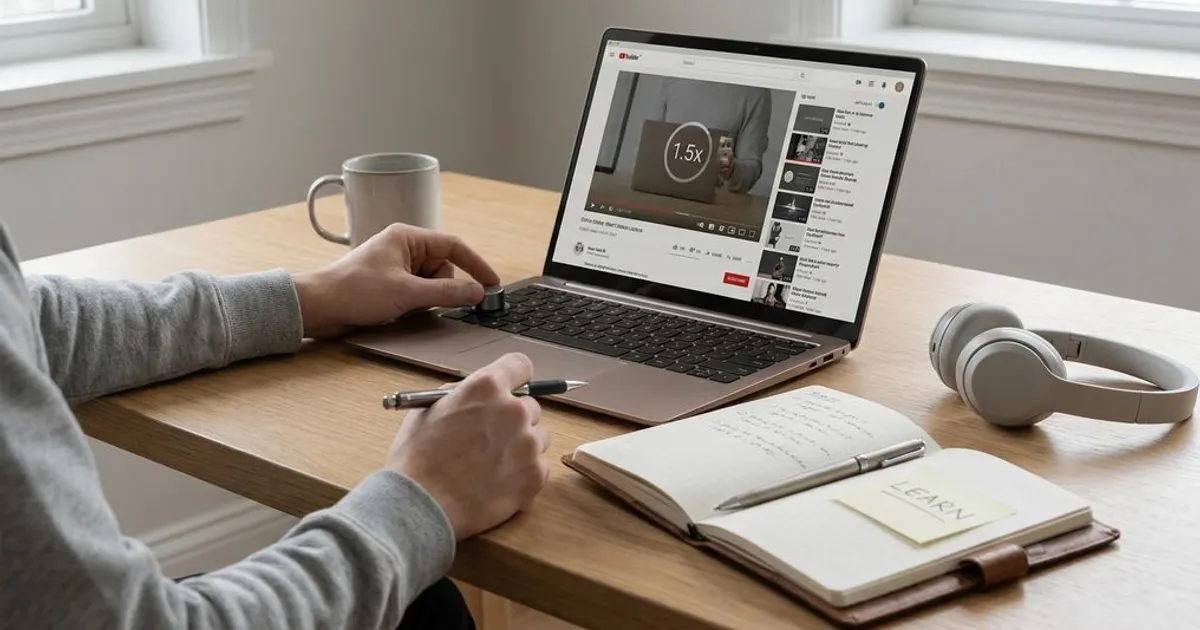
Most students don’t need special software to adjust lecture speed. YouTube includes built-in playback speed controls, and many course video systems use similar menus. Video players also let you control speed locally when your lecture files are downloaded. VLC Media Player, for instance, includes playback speed controls that let you slow down or speed up media files.
Use platform tools with a study purpose. Speed controls help with pacing, captions help with terms, transcripts help with review, and timestamps help you return to hard sections. If your platform allows keyboard shortcuts, learn the ones for play, pause, rewind, and speed. Those small controls reduce friction when you’re reviewing a long lecture.
Don’t let tools replace judgment. A platform may allow 2x or faster, but availability doesn’t mean every lecture should be watched that way. Use the player’s controls to match your current need: slower for new ideas, moderate for ordinary lectures, faster for review. That’s how lecture playback speed becomes a study tool instead of a shortcut that backfires.
Best Playback Speed For Lectures
- 1x–1.5x is safest for new or dense lectures.
- 2x can work for review.
- Above 2x often hurts recall.
- Pause, preview, and take active notes.
Use Speed Like A Study Tool, Not A Timer
The best use of lecture playback speed is strategic, not automatic. Start with the difficulty of the content, choose a speed that keeps you mentally engaged, and slow down when the lecture shifts into definitions, worked steps, diagrams, or exam-heavy material. Use 1.25x and 1.5x as your main speed-up range, then reserve 2x for familiar review. Add previewing, selective notes, timestamps, short pauses, and self-testing so you can prove the ideas stuck. If you can explain the lecture after watching it, your speed is working.
References
- Murphy, D. H., Little, J. L., & Bjork, E. L. — Learning in double time: The effect of lecture video speed on immediate and delayed comprehension
- YouTube Help — Watch videos at different speeds
- VLC Media Player Documentation — Playback Speed
- Cornell University Learning Strategies Center — Lecture Note-Taking
- University of North Carolina at Chapel Hill Learning Center — Effective Note-Taking In Class.